
See active risk quickly
Overdue, urgent, awaiting-review and proof-missing work stays visible instead of getting buried.
Manage work orders across properties, assets and contractors. Track every issue from first report to verified completion, with the evidence to prove the work was done.
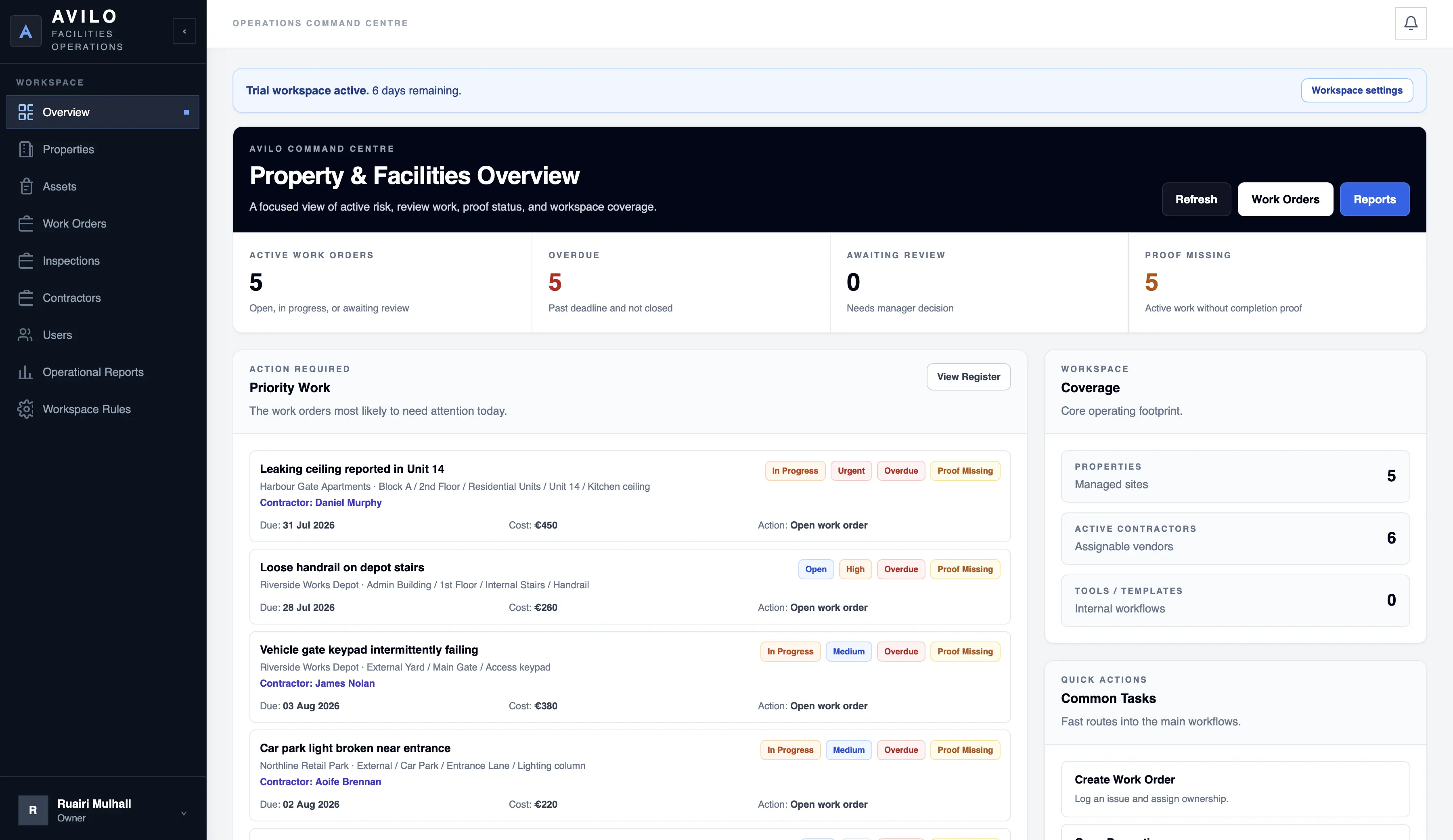
Keep maintenance work connected to the property, location, people, contractor, deadline and proof that matter.
Overdue, urgent, awaiting-review and proof-missing work stays visible instead of getting buried.
Link work to properties, buildings, areas, rooms and assets instead of vague messages.
Keep notes, evidence, contractor activity and review history attached to the work order.
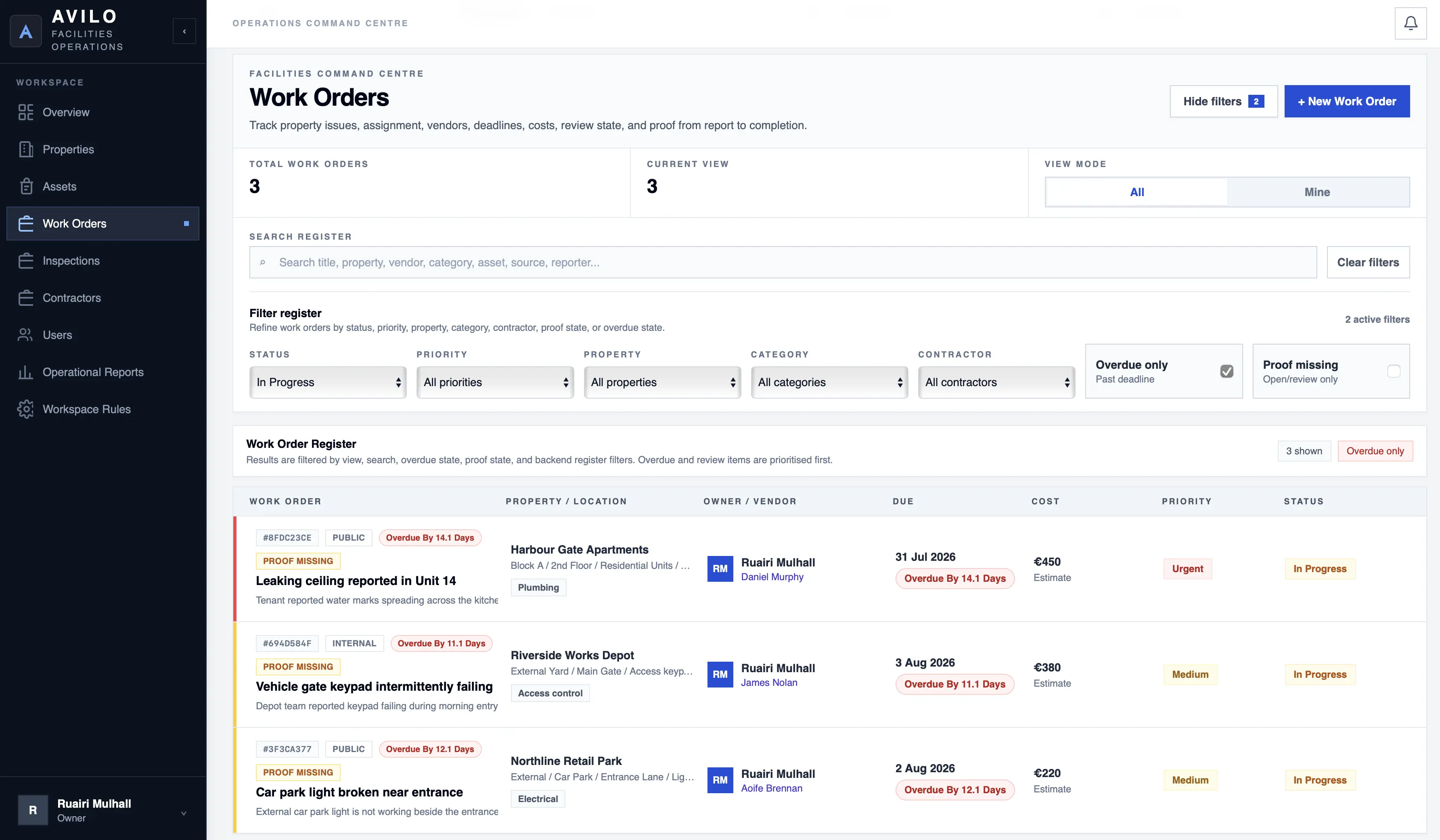
Organise maintenance around the actual buildings, sites, rooms and assets your team manages.
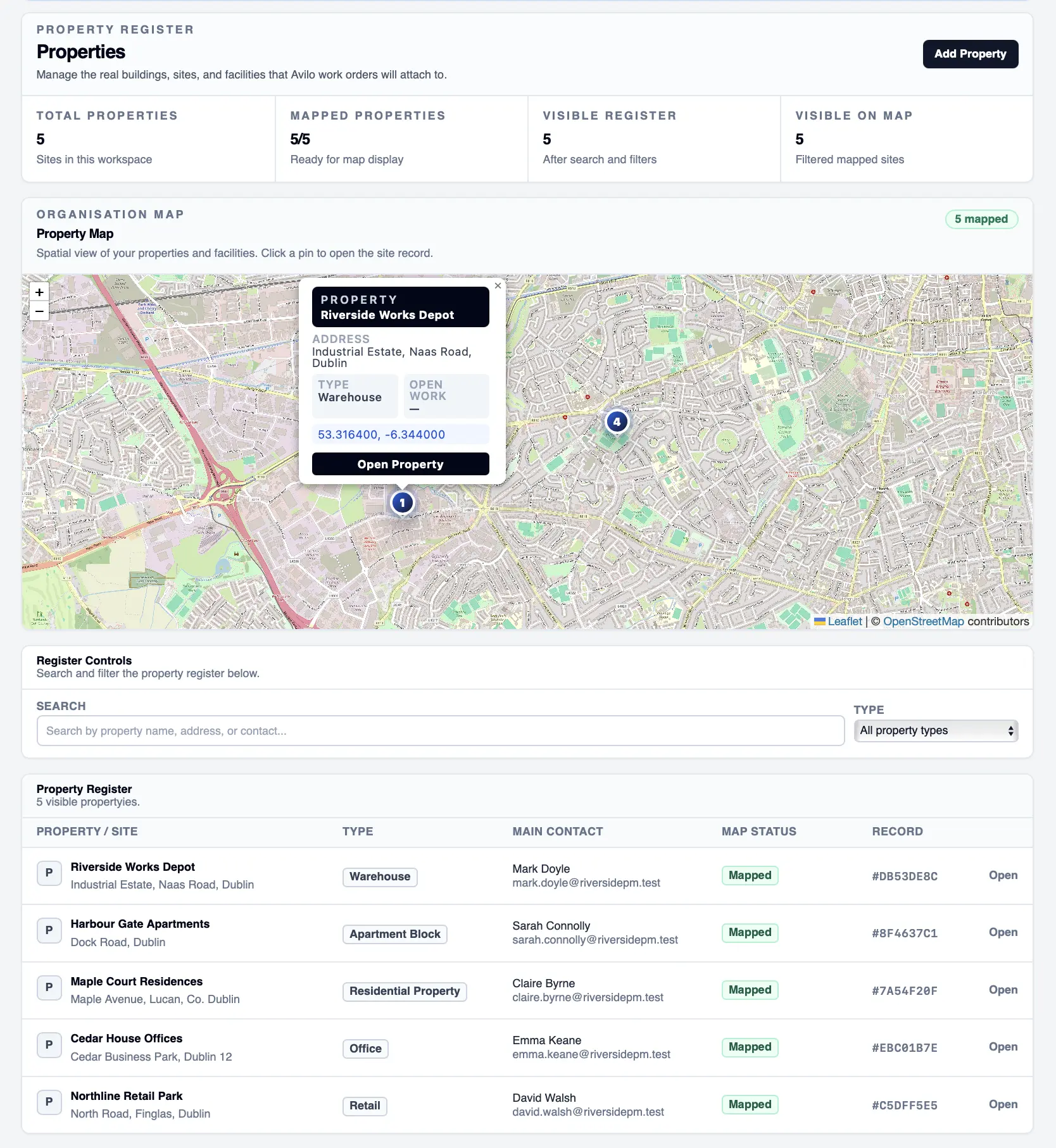
One workflow for managers, field teams and the people reporting property issues.
Capture an issue internally or through a property or asset QR link.
Set an internal owner, contractor, priority and deadline.
Field teams update progress while the work is being carried out.
Upload completion notes, photos, invoices and supporting evidence.
Managers verify the work before the record is finally closed.
Avilo gives field users a focused mobile workflow for assigned work, proof uploads, inspections and status changes.
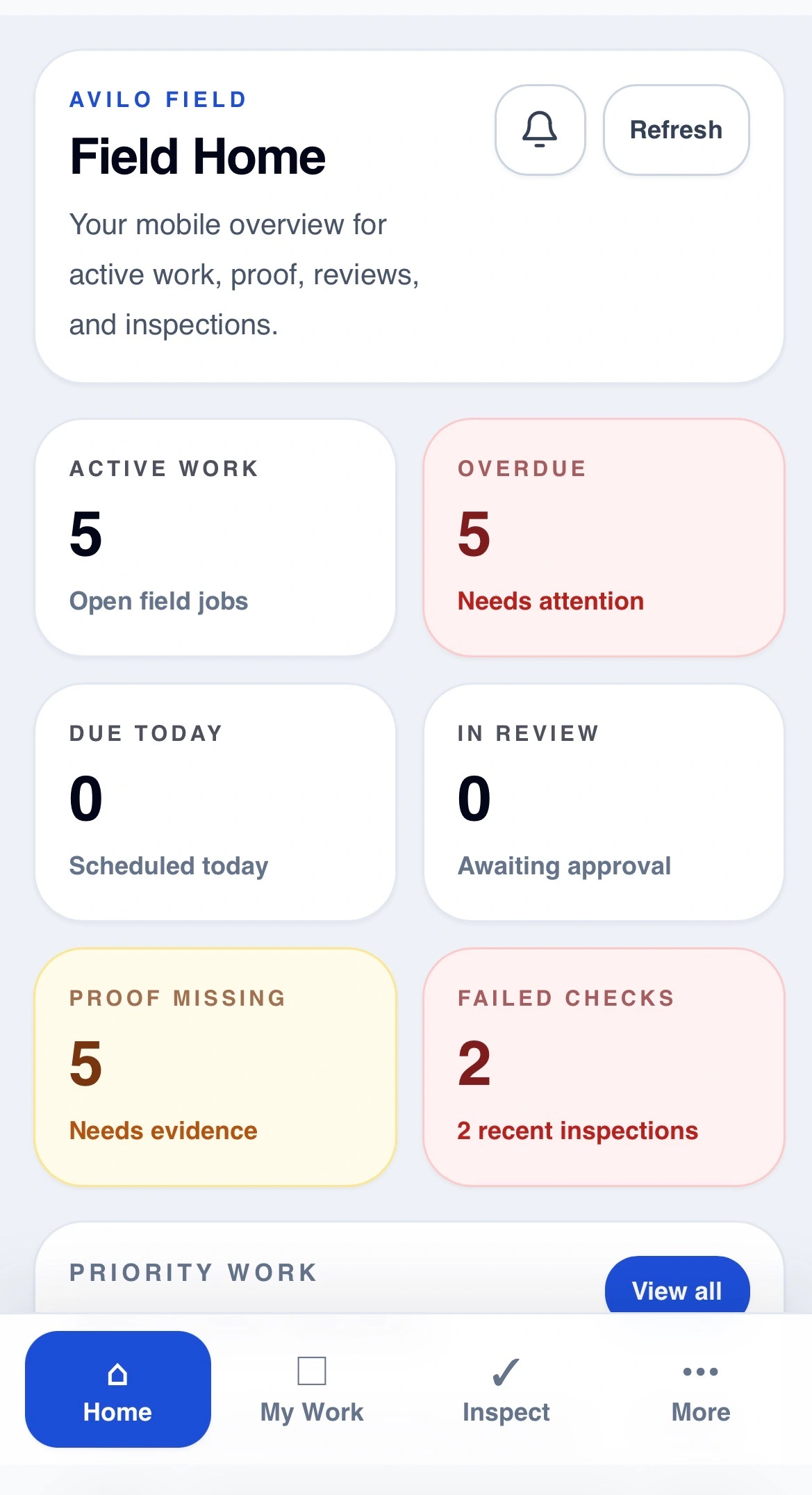
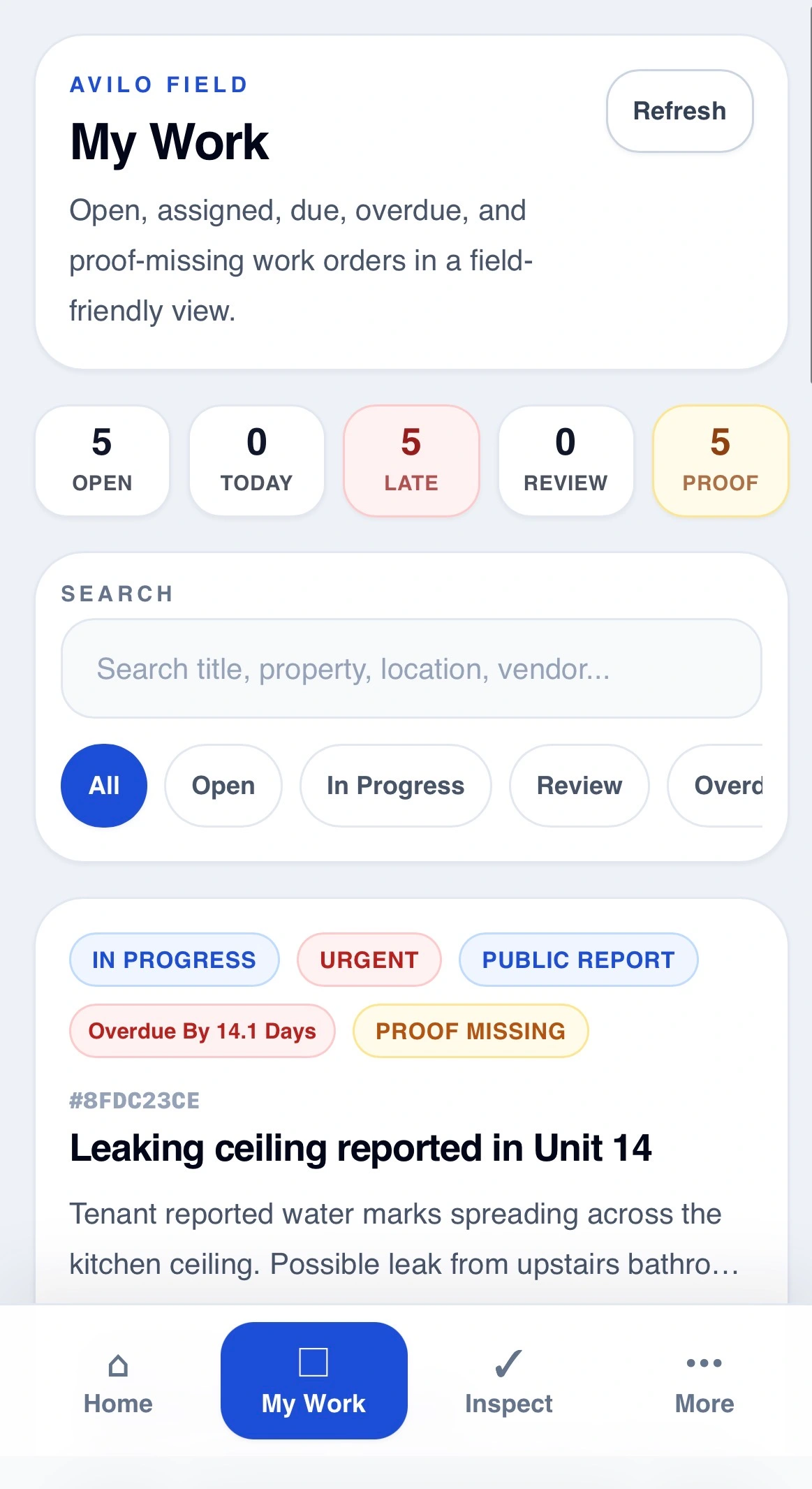
The operational tools teams need every day without turning maintenance into an oversized enterprise system.
Track repairs, defects and maintenance from report to verified close.
Give every issue proper property, location and asset context.
Let staff or occupants report issues without needing an Avilo account.
Assign external trades and retain their work, costs and proof.
Run property checks and turn failed items into work orders.
Keep evidence and operational history attached to completed jobs.
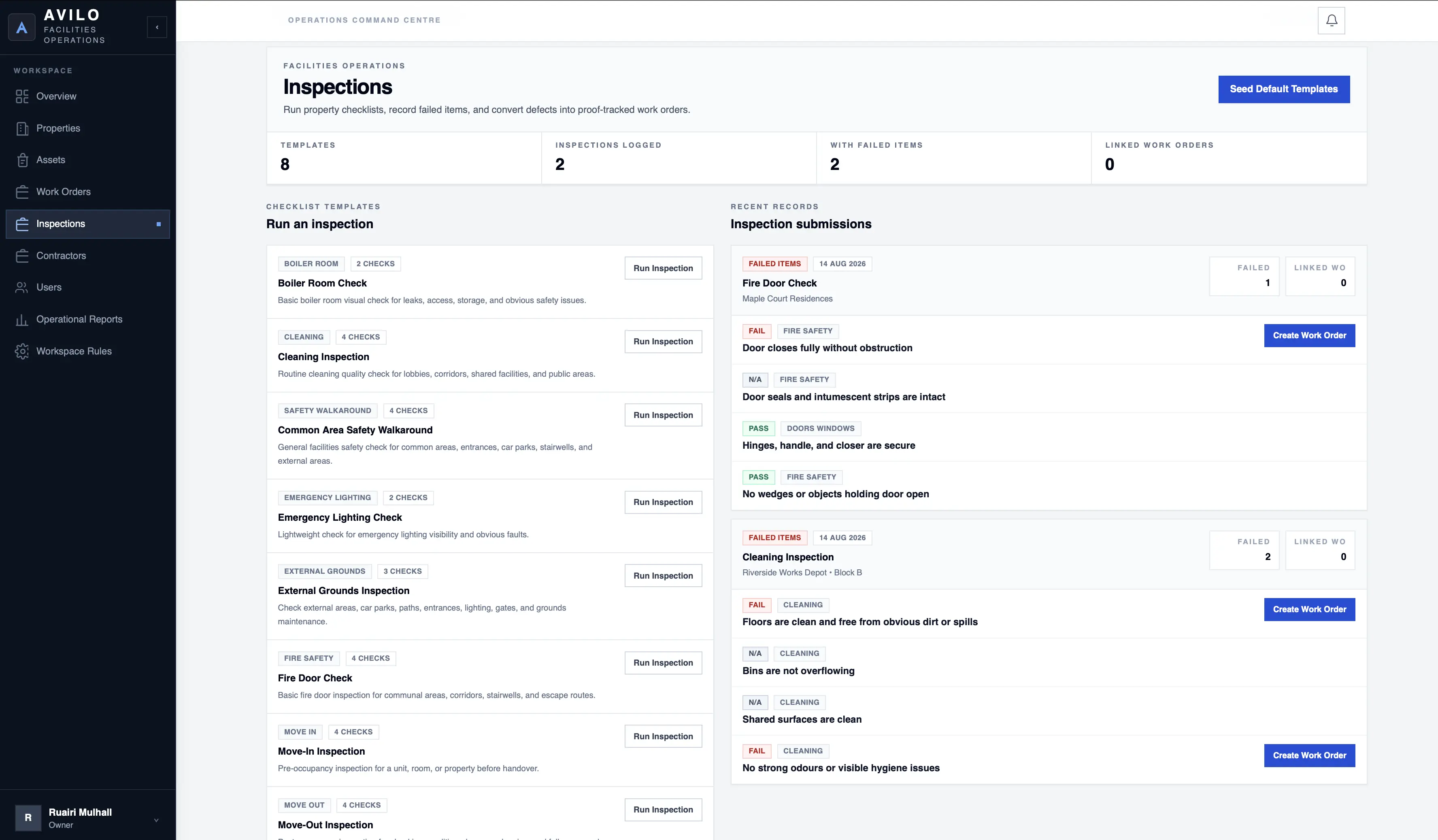
Run operational inspections and move failed items directly into the same work-order workflow.
Start with the complete property and facilities workflow instead of choosing between stripped-down feature tiers.
Pricing and plan details →Full property & facilities operations platform
30-day free trial · No card required
Start a workspace now or book a short demo first.